Crafting the Tools of Gildwall: From Blender Models to Inventory Icons
Welcome back to the Gildwall development log!
A great adventure requires the right tools, and lately, we've been hard at work bridging the gap between our game's visual design and its core mechanics. In this update, we are excited to showcase our newly improved inventory system and give you a sneak peek at how we are creating our item icons.
### From 3D Models to 2D Icons
Instead of just drawing flat 2D sprites, we decided to take a more cohesive approach. We modeled our first batches of weapons and tools directly in Blender, focusing on a stylized, rugged aesthetic.
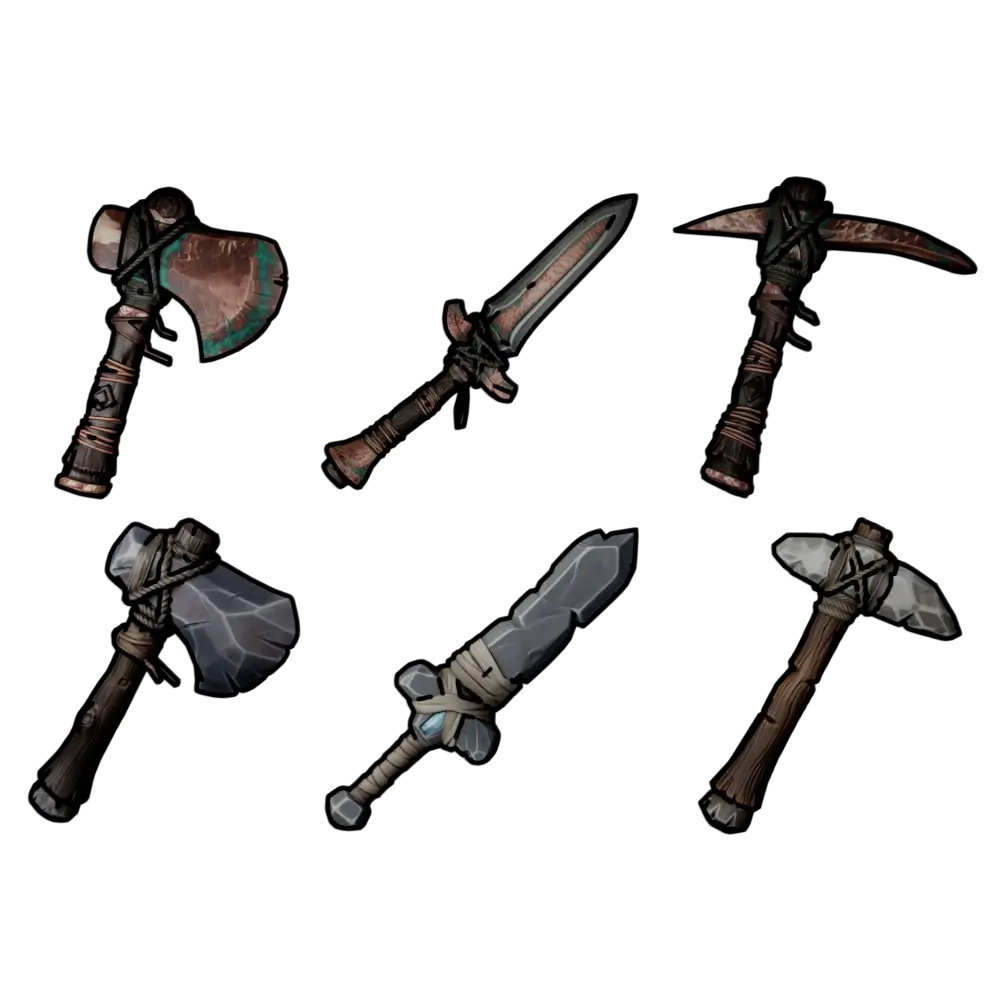
As you can see from our preview, we've designed two distinct tiers of equipment:
* **The Copper Tier:** Weathered metal blades and axe heads featuring realistic green oxidation and intricate leather-wrapped handles.
* **The Stone Tier:** Chipped, raw stone and flint heads bound to wooden handles with thick, primitive rope.
Once the 3D models were perfected, we set up a dedicated rendering rig in Blender to capture them at the perfect angle. With a bit of lighting adjustments and post-processing, these renders were transformed directly into clean, high-quality inventory icons that fit flawlessly into our UI.
### What's Next?
Now that the visual pipeline for items is established, we are focusing on polishing the grid system, item tooltips, and equipment slot mechanics so that managing your gear feels smooth and responsive.
What do you think of the stylized look for the stone and copper tools? Let us know, stay tuned for more updates, and thank you for supporting the development of Gildwall!